Make the workspace coherent. Make the consequences explicit.
Intro
McKesson ERA brings resource discovery, people management, and access administration into one workspace. Its administrators make decisions that affect what other people can see and do. A bulk permission change can increase access for one record and reduce it for another. Ending a session and suspending an account affect different scopes. Those consequences need to be clear before an action is applied.
I owned the UX design of the workspace shown: its structure, the task flows for resources, users, teams, roles, dataset access, temporary grants, and sessions, and the detailed interfaces.
One decision runs through the work: preserve the relationships that matter. A role definition, an access assignment, a temporary grant, and a session each need their own context and controls. The interface makes the target and consequence of a change visible before the administrator commits it.
Role / Scope
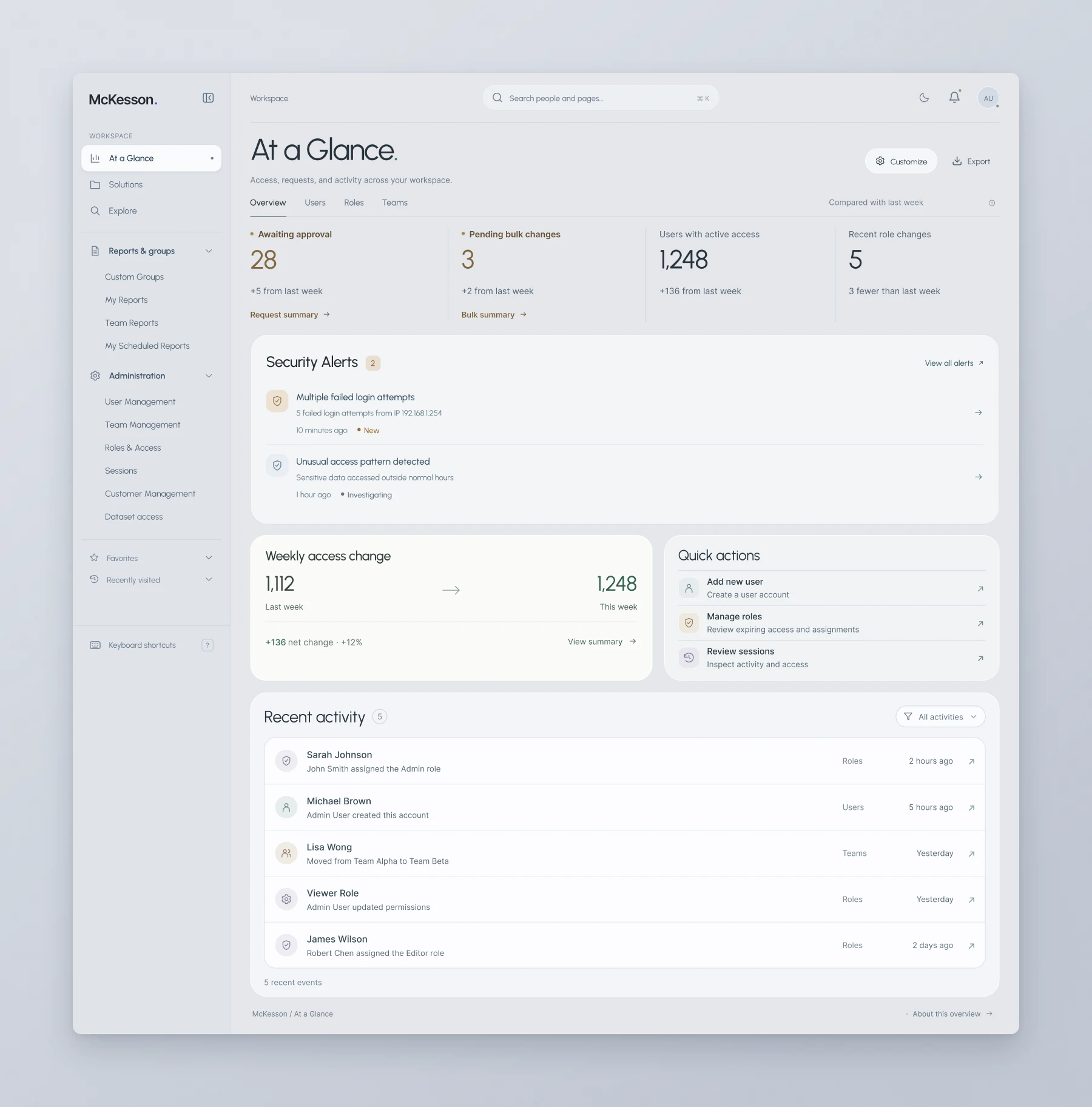
See the work that needs attention.
At a Glance separates pending approvals and bulk changes from current access totals and recent role changes. Below them, security alerts and recent activity answer different questions: which signals need inspection, and what has already changed.
I kept entry points into user creation, role management, and session review alongside that overview. Supporting modules—weekly access change, quick actions, and recent activity—can be shown or hidden beneath the key figures.
One setting. Two different consequences.
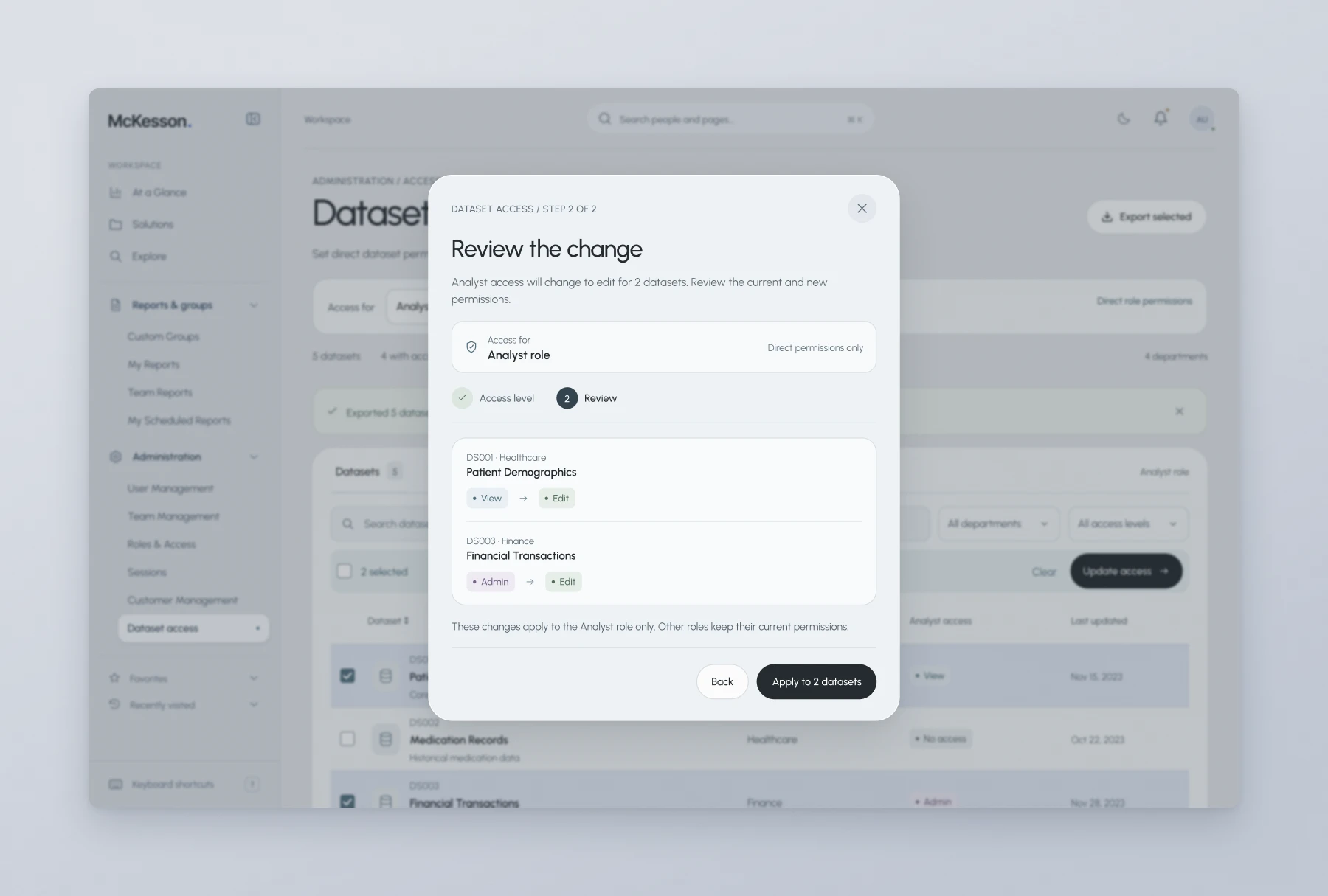
A bulk permission change can look uniform while doing different things to the selected records. The dataset-access flow keeps the selected role and each dataset’s current permission visible before an update is prepared.
In the review example, choosing Edit for the Analyst role would increase access to Patient Demographics, which currently has View. The same choice would reduce access to Financial Transactions, which currently has Admin.
I gave each dataset its own current-to-proposed comparison. The review names the Analyst role, states that the change covers direct permissions only, and says other roles keep theirs. The final action states how many datasets are in scope.
Choosing Edit is one decision. Understanding what it replaces is another.
| Dataset | Current | Proposed | Consequence |
|---|---|---|---|
| Patient Demographics | View | Edit | Adds the ability to edit. |
| Financial Transactions | Admin | Edit | Removes broader administrative control. |
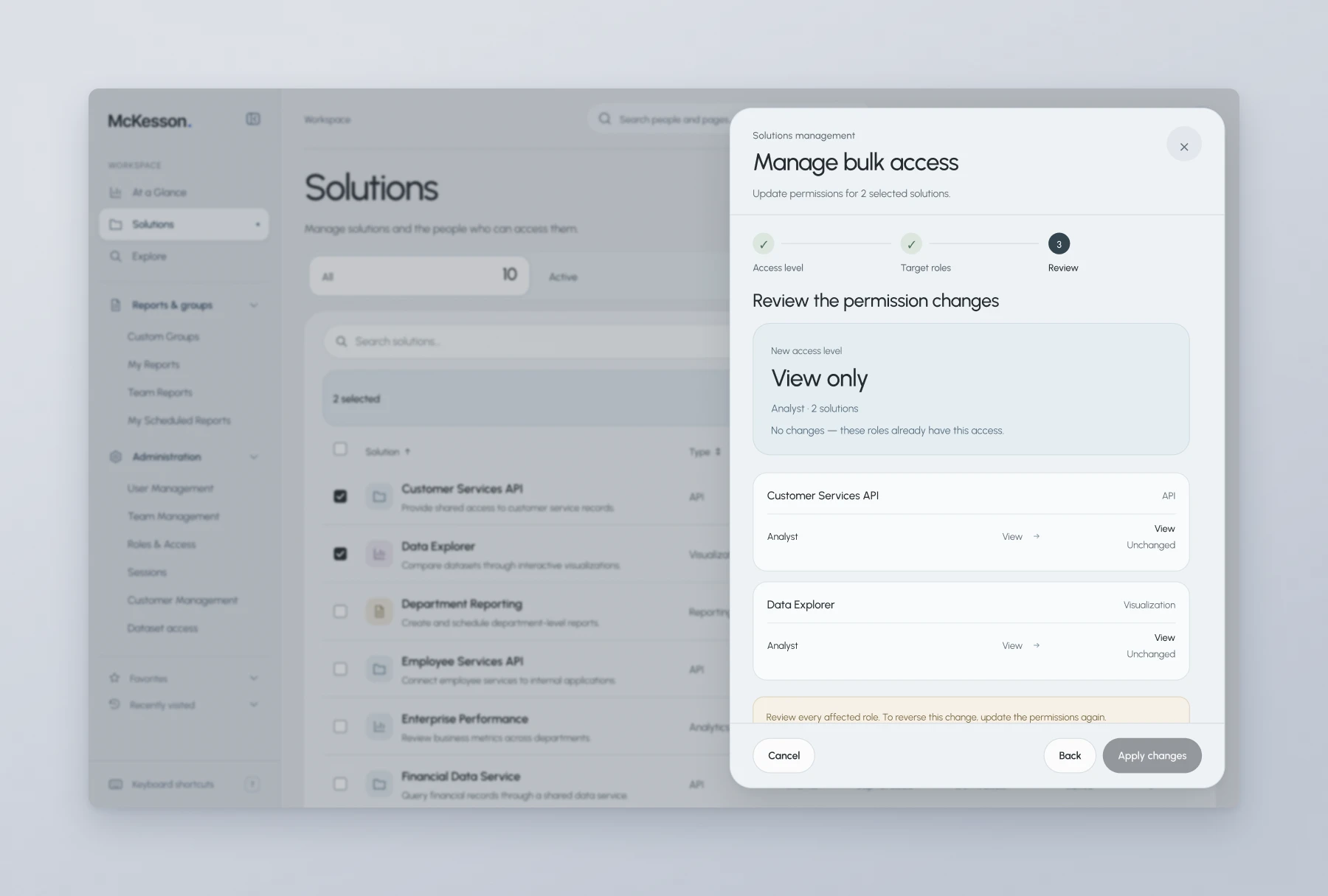
The Solutions bulk-access review also represents the absence of a change. When the selected role already has the requested View access, both records stay marked Unchanged and the review explains that no update is needed.
Being visible is not the same as having permission.
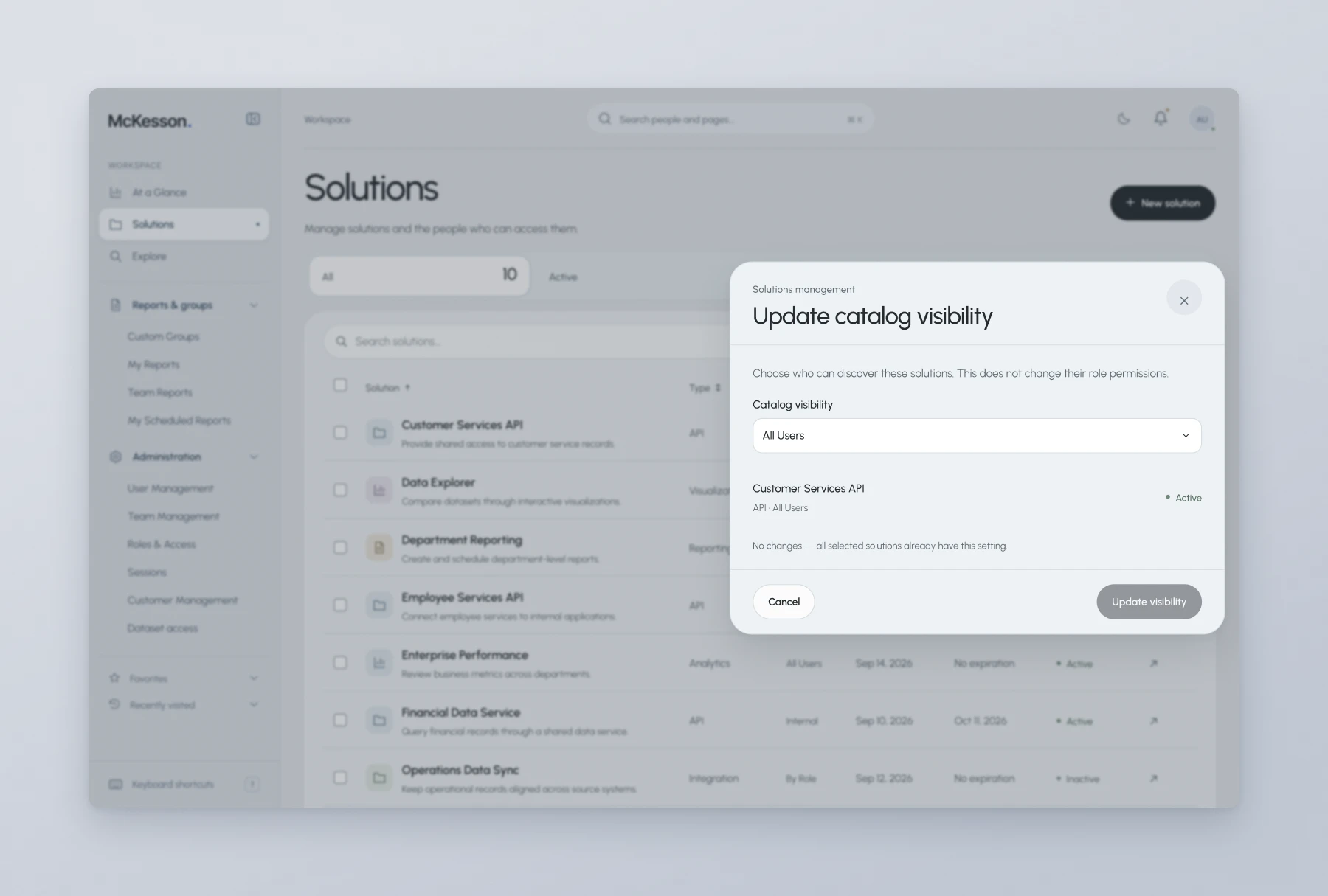
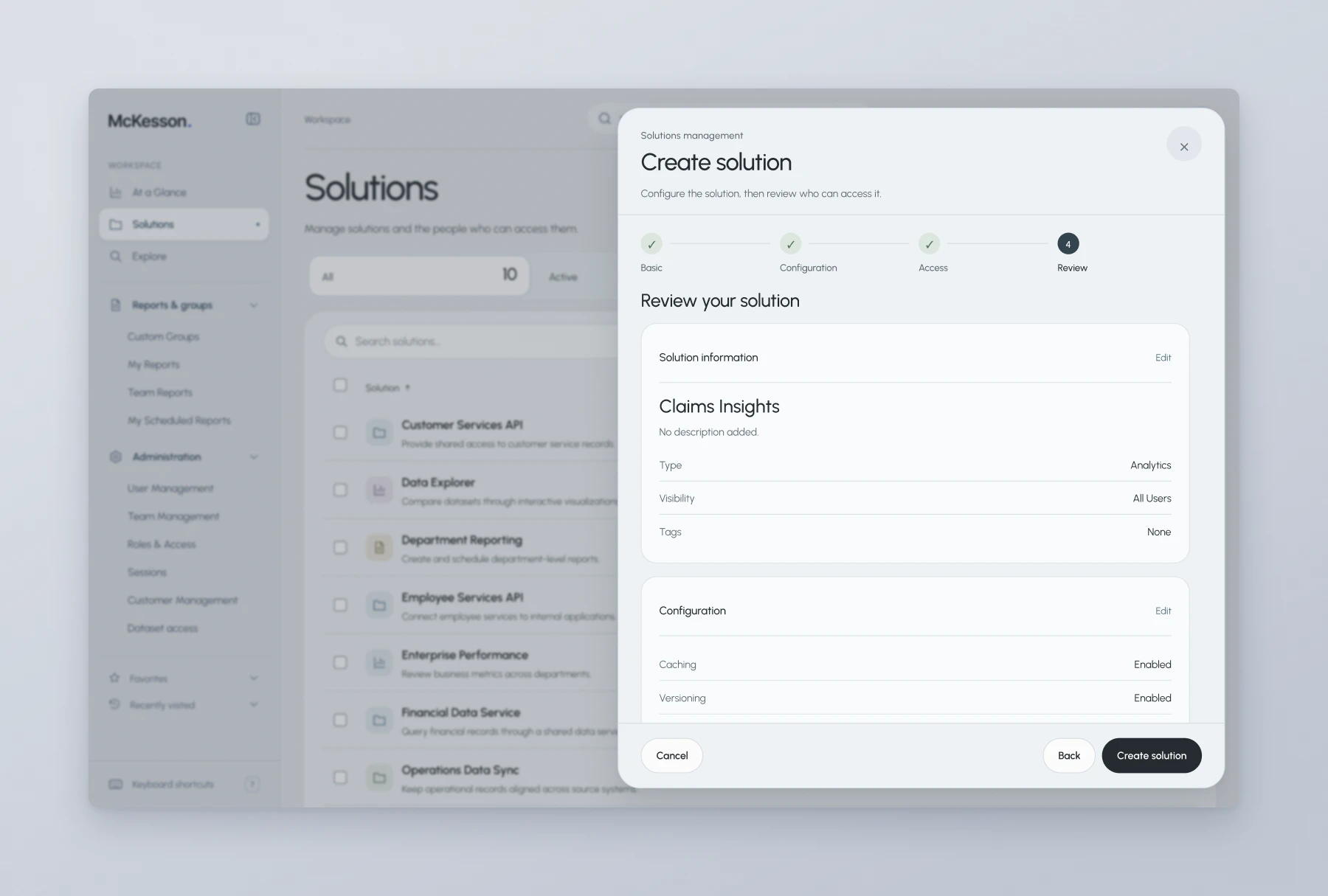
In Solutions, I separated catalog visibility from role access. Visibility decides who can discover a solution; role settings describe what people can do with it. The controls sit together, but changing one is never presented as changing the other.
The creation flow moves through Basic, Configuration, Access, and Review. Operating settings such as retention and refresh interval are grouped before access choices, then brought together in the final review.
Explore has a different job: organizing dashboards, reports, and APIs into a resource catalog. The shared visual language connects the two areas without making solution configuration and resource discovery the same task.
Build the account around the person’s work.
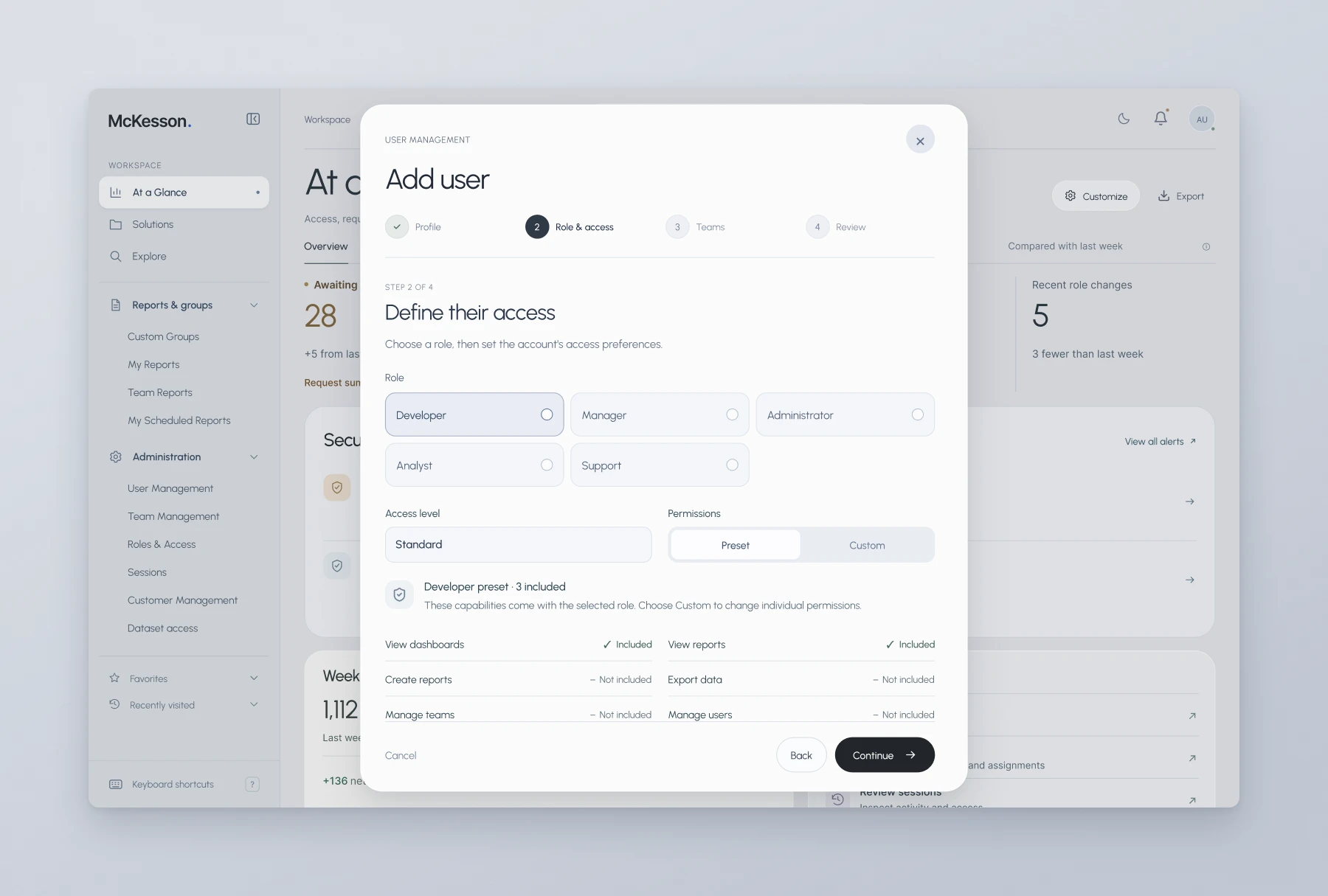
The Add user flow separates profile information, role and access, team membership, and review. Required identity fields come first; access choices get their own step instead of disappearing into a general account form.
The role preset lists both included and excluded capabilities. An administrator can inspect the proposed permission set or choose Custom for individual settings. Team selection follows separately, with an explicit option to continue without a team, and the review links back to each part.
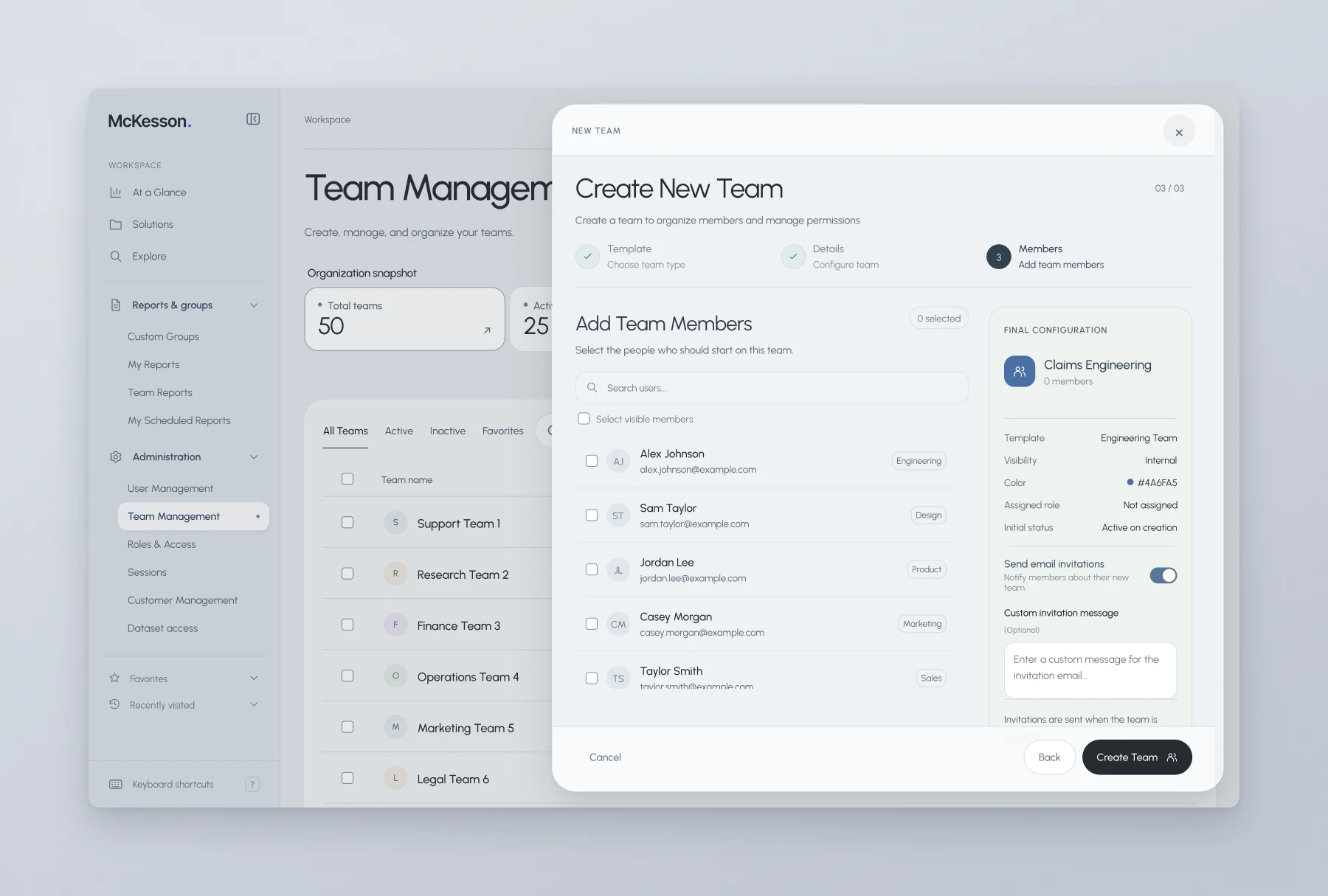
Team creation uses a related, but not identical, structure: Template, Details, and Members. The tasks share a visual language without being forced into the same number of steps.
Keep the relationships distinct.
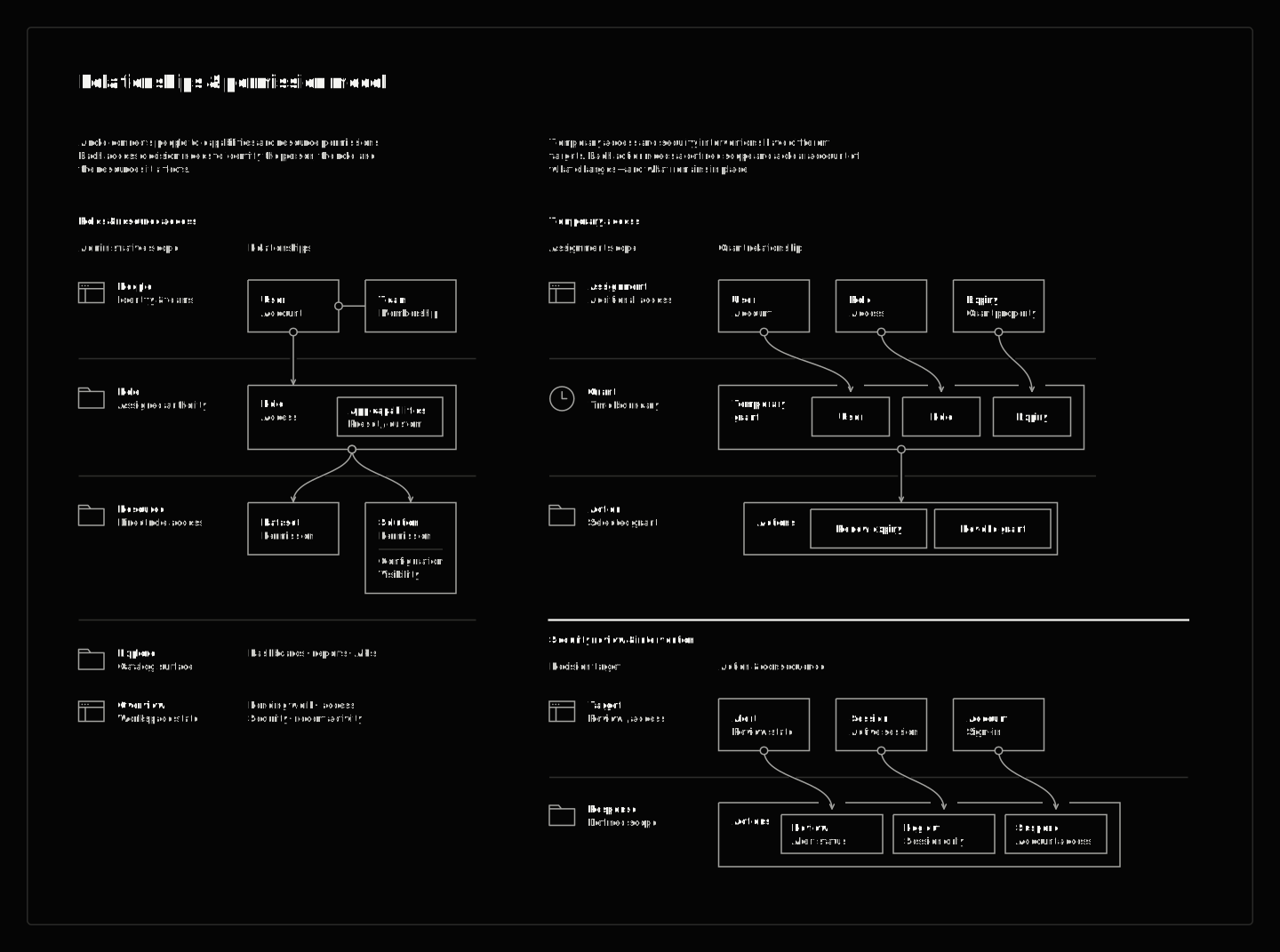
The structure depends on distinctions between people, teams, roles, resources, and access assignments. They are related, but they do not represent the same thing or support the same changes.
The design separates seeing a resource in a catalog from having permission to use it. It distinguishes a role definition from an assignment, and a temporary grant from other access that remains in place. Those relationships determine what the administrator needs to inspect before making a change, and I carried them into the interface through object names, contextual details, and action scope.
Time-bound access is its own responsibility.
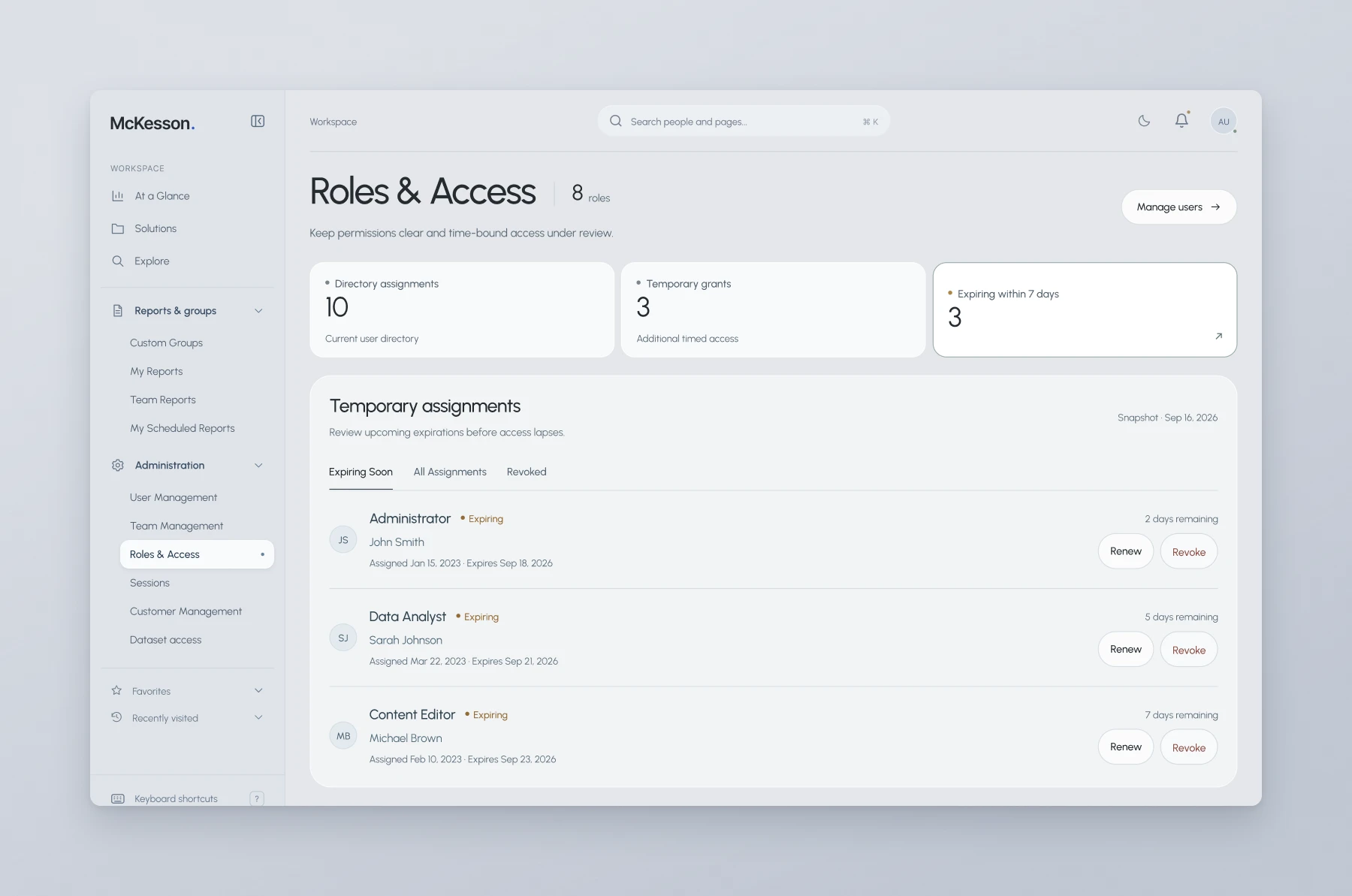
Roles & Access distinguishes directory assignments from additional temporary grants. Expiring grants sit in their own list, with days remaining shown before anything else.
Renewal shows the current and proposed expiry without changing permissions. Revocation targets the temporary grant and states that the person’s other assignments remain in place. Extending a grant is not changing a role, and removing a grant is not removing every assignment.
Review the alert. Choose the intervention.
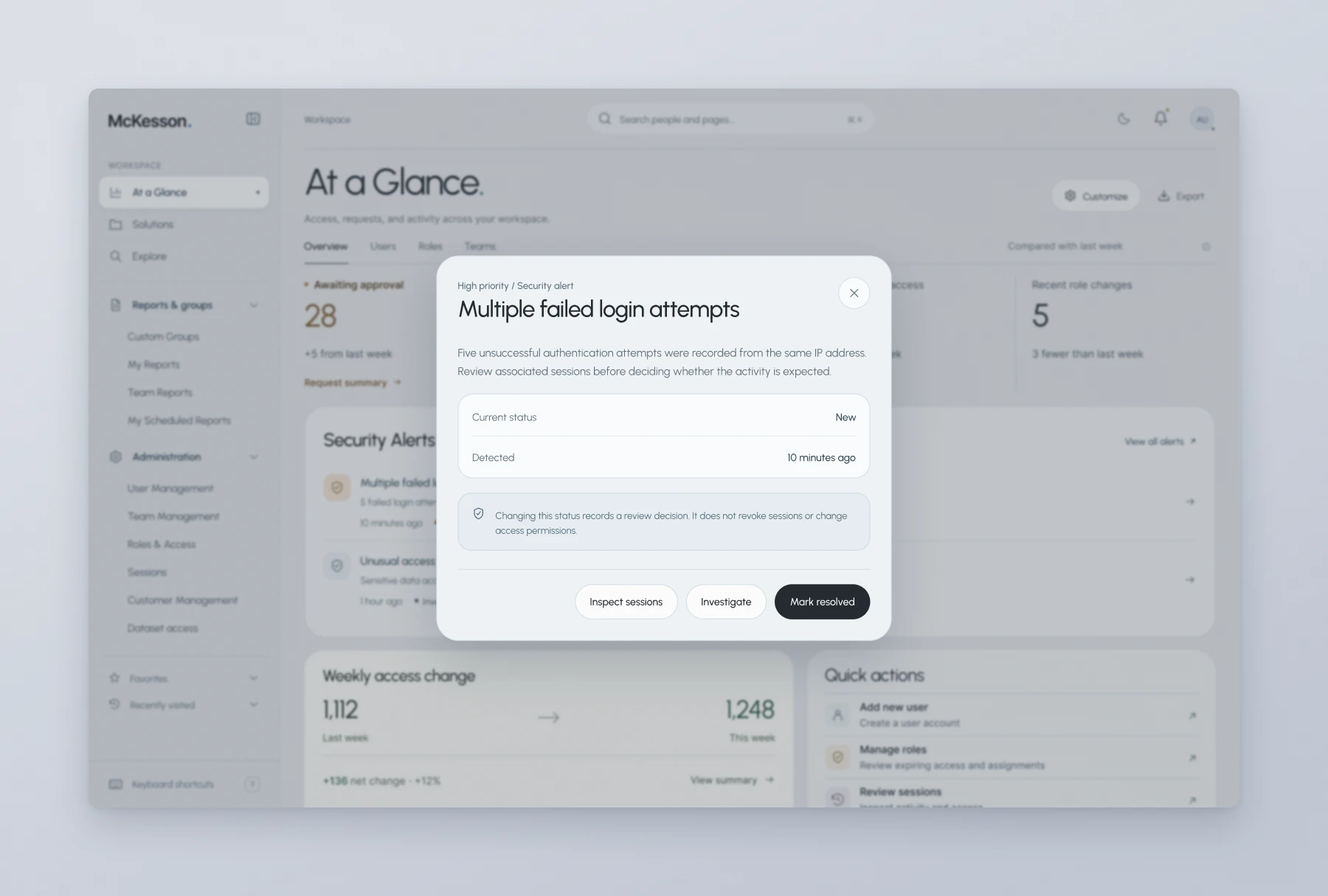
A review decision and an access intervention are different actions. Changing an alert’s status records the review; it does not revoke sessions or change permissions. Inspect sessions is a separate route.
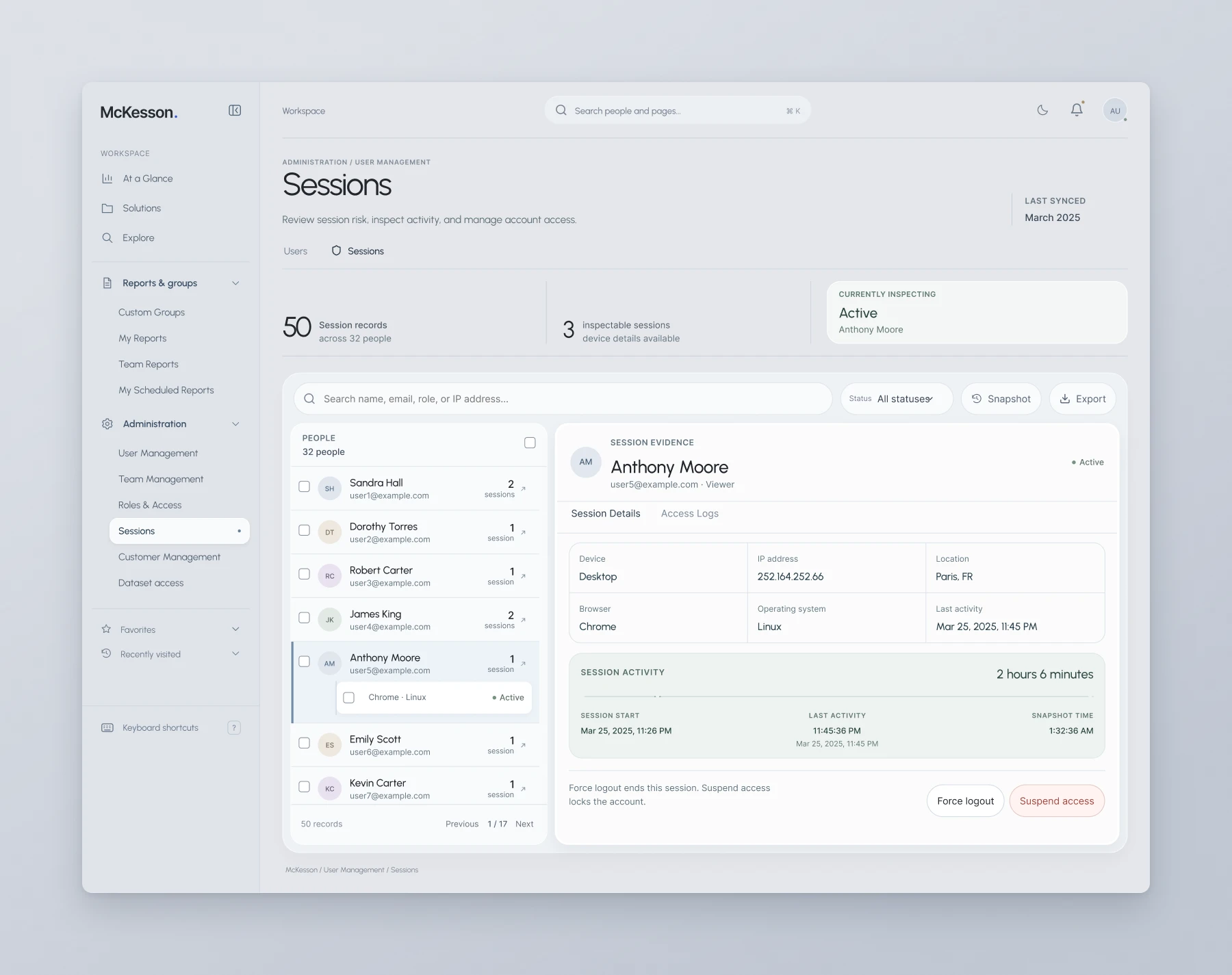
In Sessions, the selected person and session sit beside device, browser, location, and activity details. The controls then distinguish two scopes. Force logout ends one session and leaves the account active. Suspend access uses a separate, account-level confirmation.
The interface names the target and the consequence instead of treating every response as a generic security action.
Consistency without flattening the rules.
Tables, filters, selection, details, and review recur across the product. They give an administrator one way to find a record, inspect it, and prepare an action. The steps then adapt to the responsibility: Add user separates identity, role, team, and review; role presets expose included and excluded capabilities; team creation follows a shorter sequence around its template, details, and members.
That is how I approach complex enterprise work: establish the whole workspace, preserve the distinctions that matter, and use shared patterns to make particular actions precise. A common visual pattern earns its place only if it can still express the differences in the underlying work.